
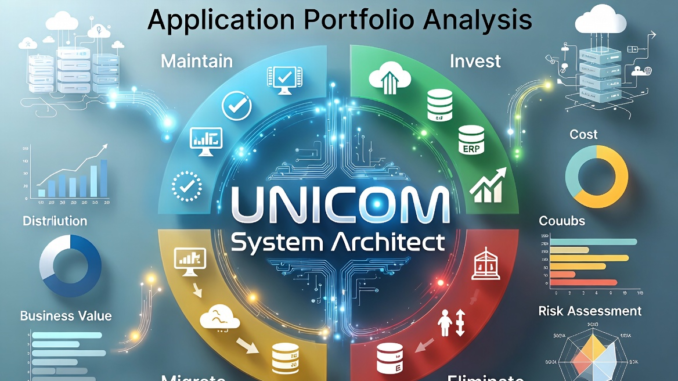
There are myriad properties to capture about your applications in order to perform Application Portfolio Analysis.
Here are some examples in System Architect to think about capturing for your application portfolio:
IT Risk
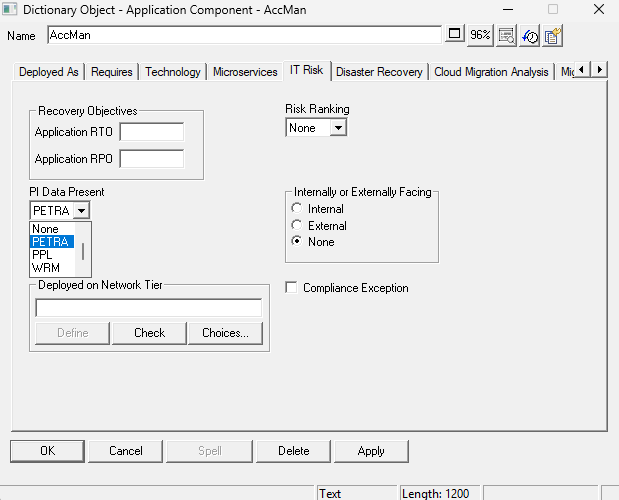
Recovery Objectives:
- RTO (Recovery Point Objective): answers the question “How much data can we afford to lose?” by determining maximum acceptable data loss.
- RTO (Recovery Time Objective): Answers the question “How much downtime can we tolerate?” by setting the maximum time to restore systems.
PI (Personal Information) Data Present:
- PETRA: Privacy Enforcement and Trust Risk Analysis
- PPL: Privacy Preference List (or Policy)
- WRM: Web Resource Management
Risk Ranking
- High, Medium, Low, or None
Internal or External Facing (to Customer)
Compliance Exception — a boolean choice stating whether the application has a compliance exception
Deployed on Network Tier
- The Network Tier the application is deployed on — which is a definition in its own right
Disaster Recovery
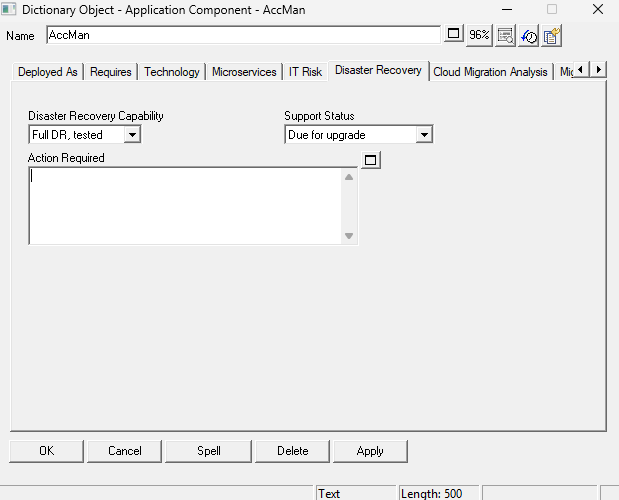
Disaster Recovery (DR) Capability
- Full DR, Tested
- Full DR, Not Tested
- Partial DR
- No DR
- No Info (Default value)
Support Status
- Current Supported Version (by vendor)
- Next Supported Version
- Due for Upgrade
- Out of Support
- Unknown
Action Required
A textual description of any pending action required on the Application — such as updating it to the latest version provided by the vendor.
Cloud Migration Analysis
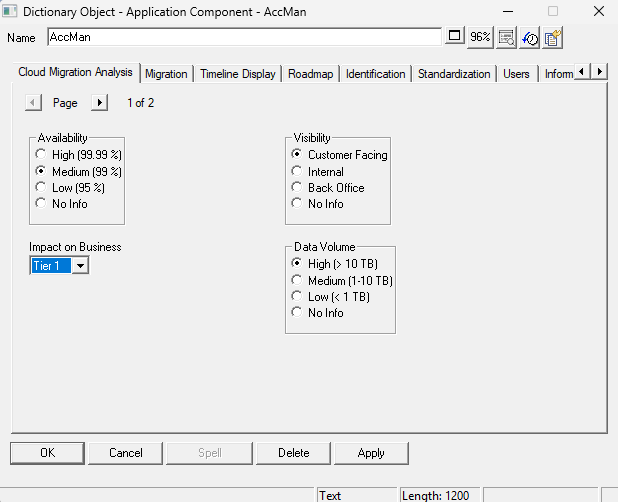
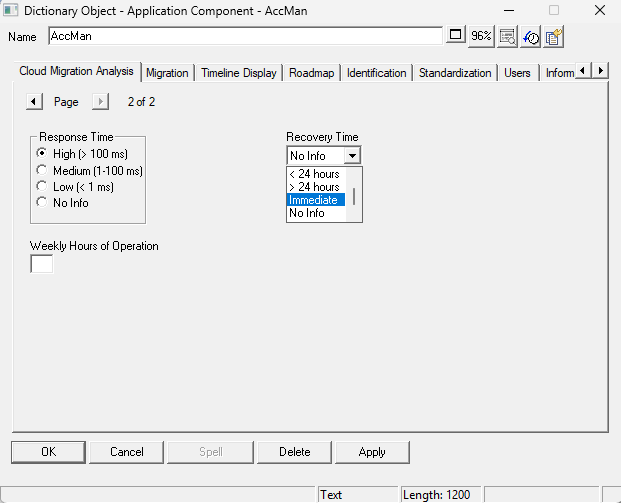
Cloud Migration Analysis is information that you should consider about an application in terms of it being on a cloud or not. This information is interesting not just for cloud-migration analysis but in general.
Availability — how available must the app be. High would be a mission-critical app; low would be a graphics program occasionally used by individuals in the organization.
- High (99.99%)
- Medium (99%)
- Low (95 %)
- No Info
Visibility
- Customer Facing
- Internal
- Back Office
- No Info
Data Volume — how much data does it process; you will be paying for this in a rented cloud environment.
- High (> 10 TB)
- Medium (1-10 TB)
- Low (< 1 TB)
- No Info
Response Time
- High (>100 ms)
- Meditum (1-100 ms)
- Low (< 1ms)
- No Info
Recovery Time
- Immediate
- < 1 Hr
- < 24 Hrs
- > 24 Hrs
- No Info
Weekly Hrs of Operation
A numeric.
Application Portfolio Analysis
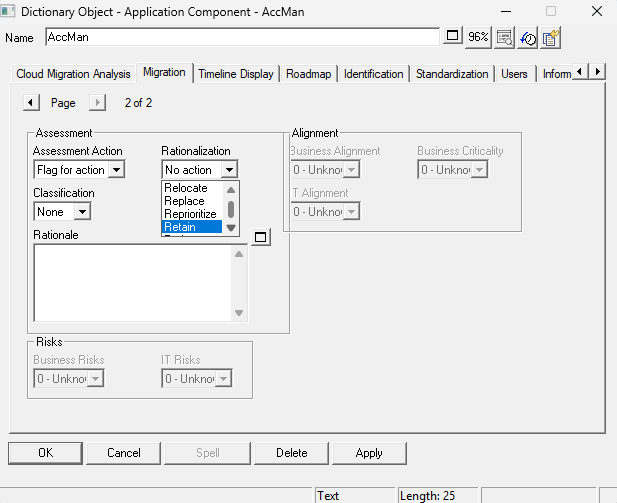
This property set is used to make decisions on the Application in the portfolio. The greyed out (readonly) properties in the above definition dialog are purposely set that way as this information is specified in UNICOM Focal Point — the Decision Analysis tool — and mapped back to System Architect via the System Architect-Focal Point integration.
Assessment Action
- Flag for action
- Investigate
- No Action
Rationalization
- Retain
- Relocate
- Replace
- Reprioritorize
- Retire
Classification
- Blue
- Bronze
- Gold
- Silver
Rationale — a textual description of why an action is planned for the Application.
RISKS:
Business Risks
- Very High
- High
- Medium
- Low
- Very Low
- Unknown
IT Risks
- High
- Medium
- Low
- Very Low
- Unknown
ALIGNMENT with corporate goals of the business, and IT strategies
Business Alignment
- High
- Medium
- Low
- Very Low
- Unknown
Business Criticality
- High
- Medium
- Low
- Very Low
- Unknown
IT Alignment
- High
- Medium
- Low
- Very Low
- Unknown
Be the first to comment